Know what to lift next.
Overload is a strength tracker for iPhone that tells you the weight and reps to beat on every lift.
Coming soon to the App Store
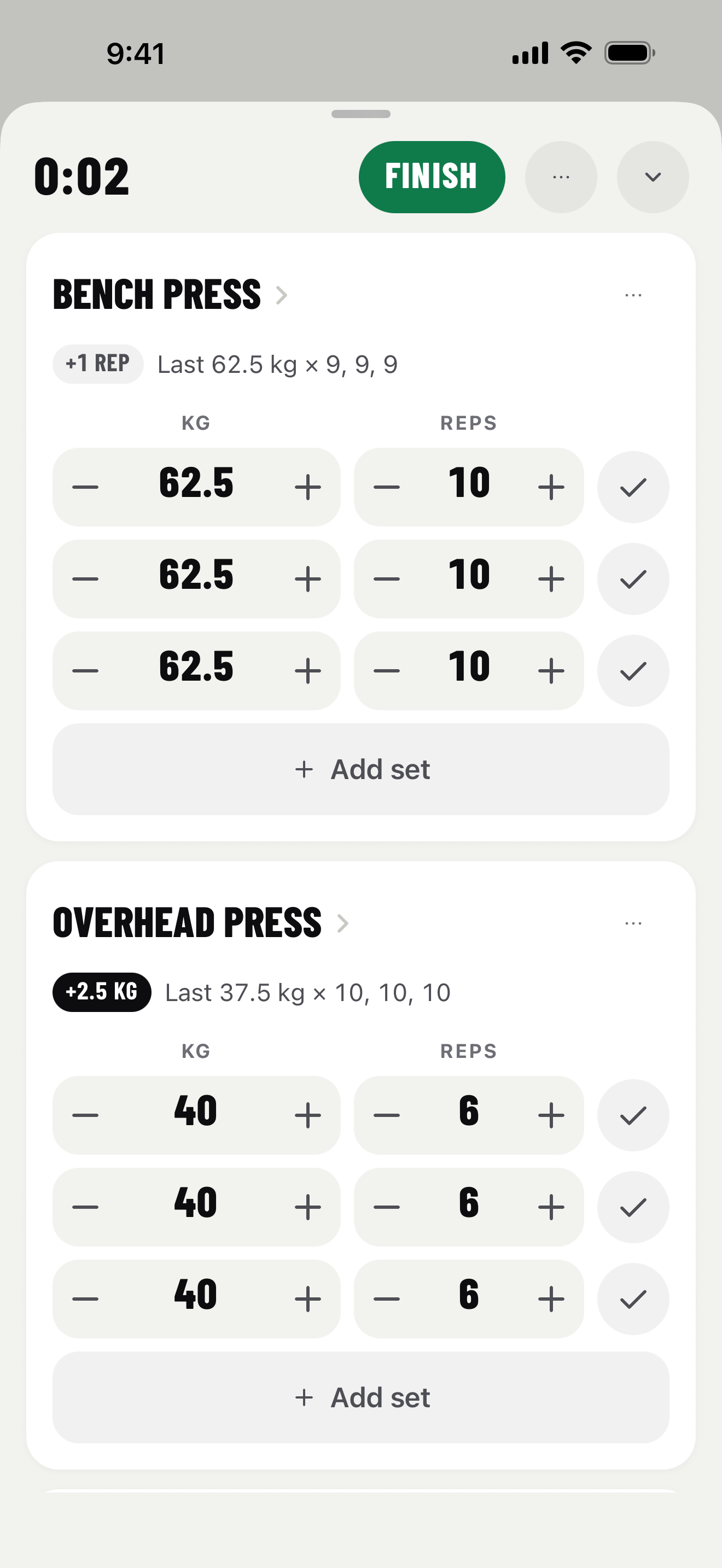
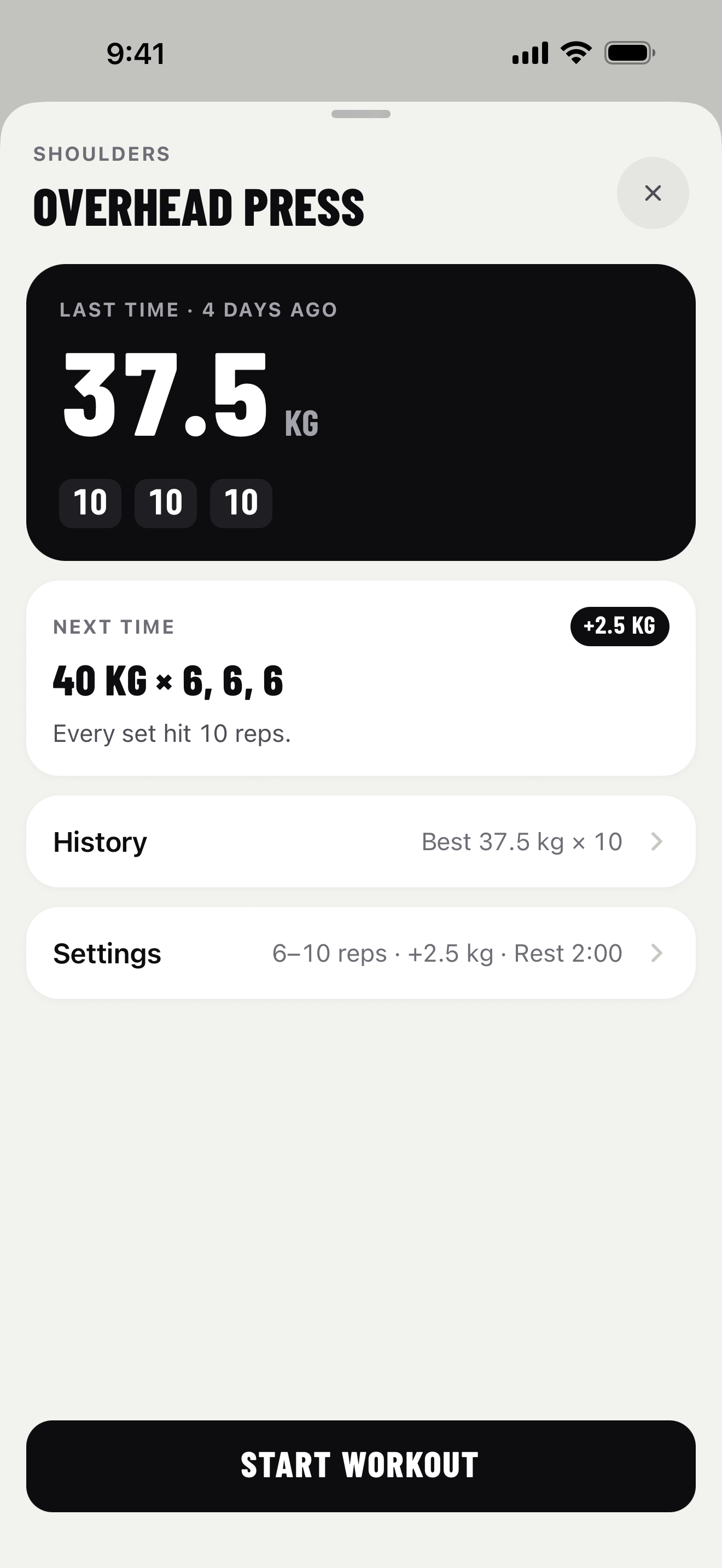
The weight and reps to beat.
Each exercise has a rep range. Every session asks for one more rep per set. Once every set reaches the top of the range, the weight goes up and the reps start again at the bottom.
- Session 1135 lb × 10, 9, 8
- Session 2135 lb × 11, 10, 9
- Session 3135 lb × 12, 11, 10
- Session 4135 lb × 12, 12, 11
- Session 5135 lb × 12, 12, 12
- Next time140 lb × 8, 8, 8
Pull-ups: 8, 7, 6 reps last time, so 9, 8, 7 next time.
Plank: 3 × 0:30 last time, so 3 × 0:40 next time.
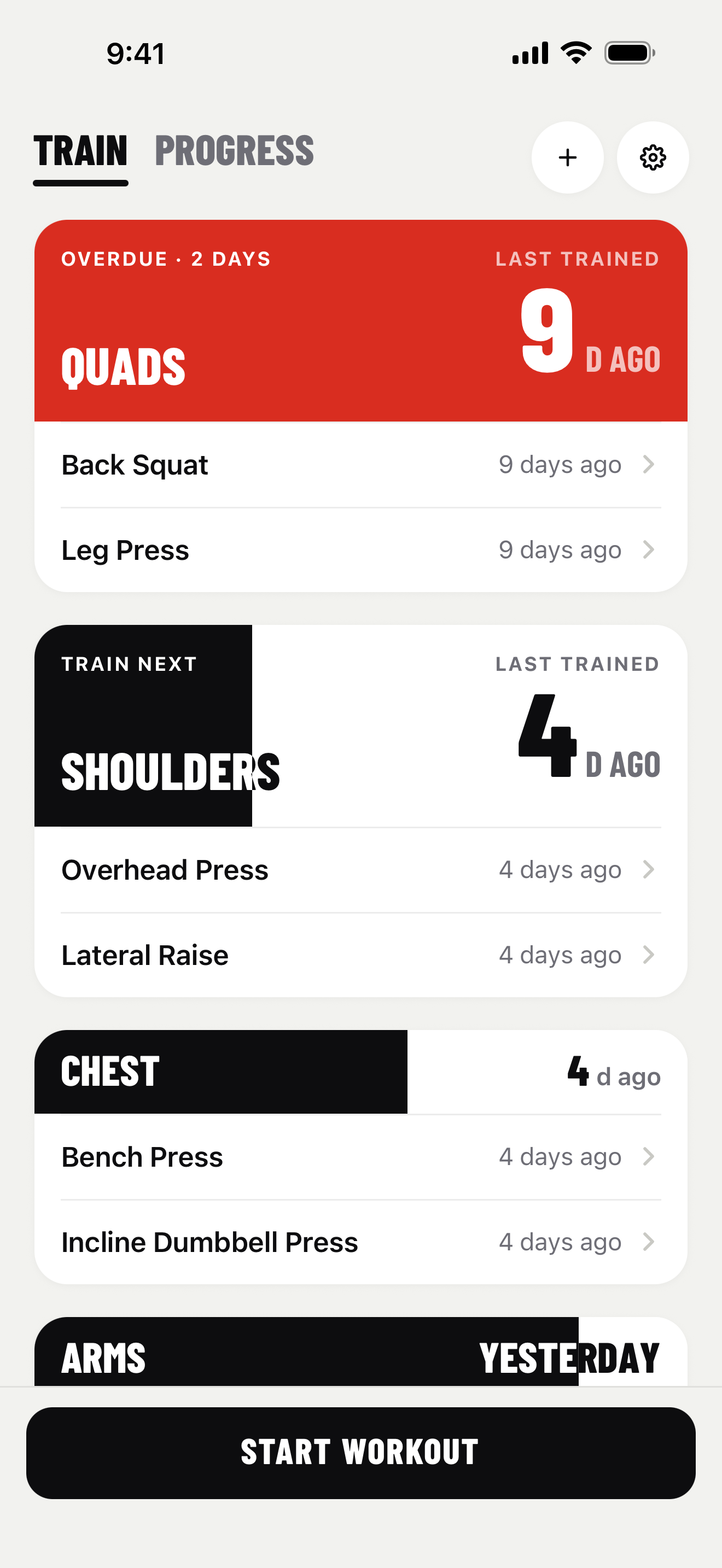
Train what's recovered.
Overload has no fixed split. Your muscle groups are ordered by recovery, so the group you've rested longest is at the top, whenever your training days fall.
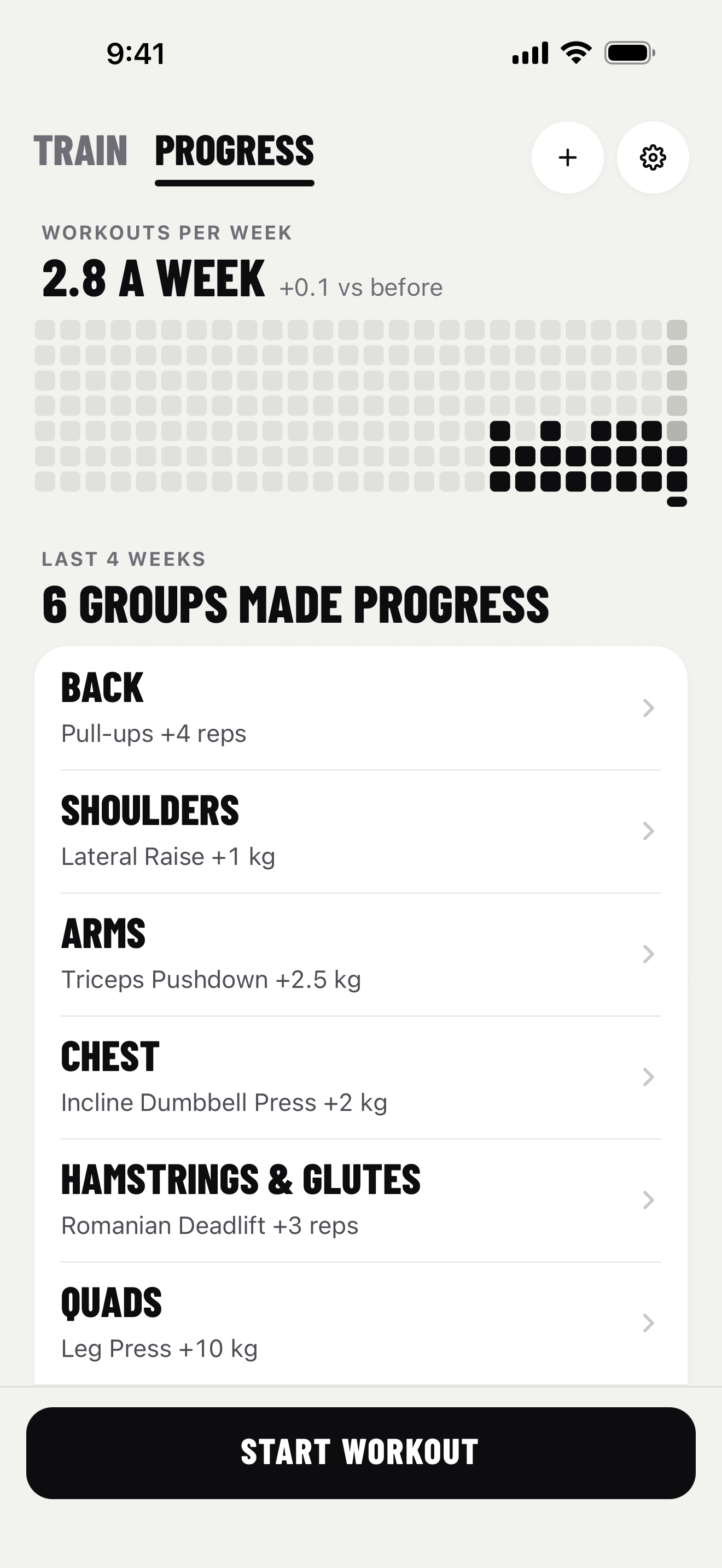
Am I getting stronger?
Progress means more weight or more reps on a lift. More sets don't count.
What it leaves out.
- There's no account, and your workouts stay on your iPhone.
- There are no streaks, badges or confetti.
- There's no social feed.
- You can export all your data at any time.
Questions
What is a good app for progressive overload?
Overload is built around progressive overload. It tells you the weight and reps to beat on every lift, based on what you logged last time.
How does Overload decide the next weight and reps?
Each exercise has a rep range, such as 8–12. Every session asks for one more rep per set. Once every set reaches the top of the range, the weight goes up by your step and the reps start again at the bottom.
Do I need a fixed program or split?
No. Overload orders your muscle groups by recovery, so you can train whatever is ready on the days you have.
Does it work in kg and lb?
Yes. You can switch between kilograms and pounds at any time in Settings.
Do I need an account, and where is my data stored?
You don't need an account. Your workouts are stored on your iPhone, and you can export them as a file at any time.
Does it work without internet?
Yes. Logging a workout doesn't need a connection, so a gym without signal is fine.
Can I import my history from Strong or Hevy?
Not yet. Log a lift once, and Overload shows the weight and reps to beat from then on.
Does it track bodyweight exercises and timed holds?
Yes. Bodyweight exercises ask for one more rep per set, and timed holds add seconds once you reach the target on every set.
Which devices and languages does it support?
Overload runs on iPhone, in English and German.
Beat last time.
Overload is a strength tracker for iPhone that tells you the weight and reps to beat on every lift.
Coming soon to the App Store